


BP Care - Pressure & Sugar
3.492.00 Reviews
App Specs
- Version
- 1.6
- Updated On
- License
- Free
- Downloads
- 1,000,000+
- Developer
- Brainy Lab Studio
- Categories
- Tools
- Platform
- Android
Screenshots
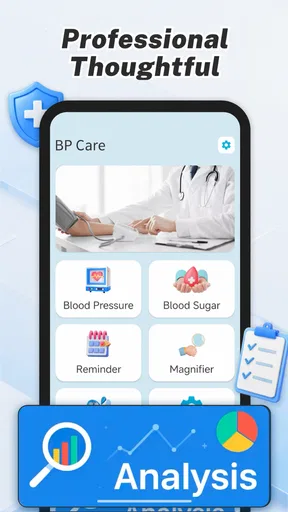
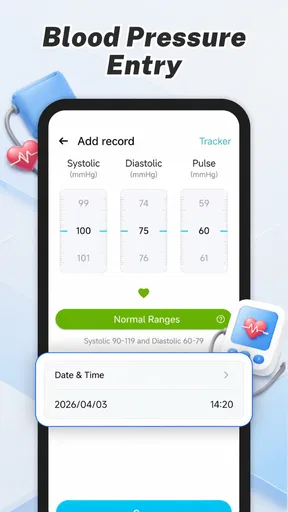
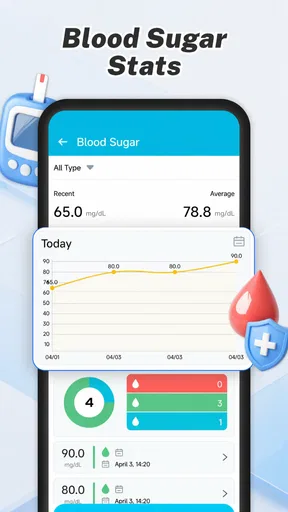
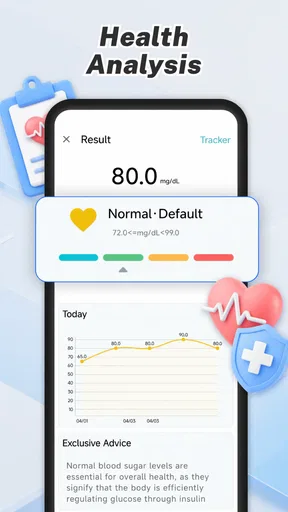
 Analysis by AppCompare
I approached BP Care - Pressure & Sugar as a simple health-recording tool rather than a medical device. That distinction matters from the first use. The app is designed to help me keep track of blood pressure and blood sugar entries, but it does not replace a validated monitor, a laboratory result, or advice from a healthcare professional. Its value is in organizing readings so they are easier to remember, review, and discuss.
That focused purpose makes it approachable for people who already take occasional readings at home and want somewhere more convenient than loose paper notes. It is also a reasonable fit for a family member helping an older relative keep a routine. At the same time, anyone expecting the phone itself to measure blood pressure or glucose will need to adjust their expectations. I treat the app as a logbook, not as a sensor.
What the app feels like in everyday use
Brainy Lab Studio places this free tools app in a practical space between a notebook and a more elaborate health platform. The store summary points to recording blood pressure and blood sugar conveniently, and that is the lens through which I found it most useful. The experience is less about discovering complicated health analysis and more about building a habit around entering results after taking them with separate equipment.
The strongest use case is consistency. A single reading rarely tells the whole story, while a series of entries can give me a clearer picture to bring to an appointment. I would use it after a morning check, after an evening check, or whenever my clinician has asked me to monitor a particular pattern. The important detail is to enter the result as soon as possible, while I still know when and under what circumstances it was taken.
For a free app aimed at everyone, the straightforward approach is welcome. The age rating is Everyone, and the minimum operating-system requirement is Android 9. The current version is 1.5, so users on compatible phones should still check that their device can run it smoothly before making it part of a long-term routine.
The app has also reached over a million installs, which suggests that this basic tracking idea is useful to a broad audience. Its average rating is 3.6, a middle-ground result that matches my overall impression: the concept is practical, but people looking for deep medical reporting, connected devices, or a polished personal-health ecosystem may find the experience limited.
The first network-dependent moment
Connectivity shapes the experience in a less obvious way than it does in a messaging or streaming app. I do not open a blood-pressure log because I want to browse online content; I open it because I have just taken a reading. That makes any dependence on account access, synchronization, updates, or other connected steps feel more noticeable. A short delay at that moment can break the habit more easily than it would in an ordinary utility.
Worth Reading Before You Choose

EA SPORTS FC Mobile 26 Is a Bigger Football Game, but It Takes Time

Flipboard Shows What News Apps Must Do Beyond the Feed

Switching to Android Auto Means Rethinking Your Driving Routine

Google Calendar Makes a Crowded Week Easier to Manage

Ludo King Makes the Most of the Minutes Between Plans

Baby Panda World Brings Quick Play to Modern Phones, but Its Game Library Feels Busy
I would therefore test the complete entry routine before relying on BP Care for an important monitoring plan. Open it in the place where readings normally happen, enter a sample record, close and reopen it, and check whether the information remains available in the way I expect. This is not a criticism of a specific function; it is a sensible check for any health log that may be used in kitchens, bedrooms, clinics, or travel situations where the network is inconsistent.
There is a useful trade-off here. A focused recorder can feel quicker than a large wellness platform filled with exercise cards, reminders, articles, and social features. But a broader platform may provide more mature synchronization between devices or easier access for a care team. I would choose the simpler route when my priority is personal entry, and the broader route when shared access and long-term integration matter more.
Using it in real mobile contexts
My preferred workflow would be deliberately boring. I would keep the measuring device in one place, take the reading under similar conditions, and open the app immediately afterward. That reduces the chance of confusing a morning result with an evening result or entering a value from memory. The phone becomes the final step in the measurement routine rather than the place where the measurement happens.
A realistic scenario is a person who checks blood pressure before breakfast and blood sugar around a meal. Instead of writing two values on a scrap of paper and transferring them later, the person can record them while the context is still fresh. That small reduction in friction is the app’s main practical strength. It can turn scattered observations into a more dependable personal record.
Travel is where I would be more cautious. A phone may be available, but the measuring equipment, battery level, and network situation can all vary. I would not assume that a trip automatically provides the same smooth experience as a home routine. Before leaving, I would make sure the app is already installed, the phone has enough charge, and previous records are accessible in the expected manner. I would also keep a backup note for readings that are medically important, because relying on one digital log creates an avoidable single point of failure.
For an older user, the best setup may involve a short written instruction beside the monitor: take the reading, note the time, open the app, enter the result, and review the entry before moving on. This is more useful than simply telling someone to “track their health.” The app can support a routine, but it cannot create one by itself. If the interface feels too small or the entry process requires too many steps for the person using it, a paper sheet may remain the better primary method.
What happens when the routine breaks
Health tracking is vulnerable to ordinary mistakes. I might forget whether a value was taken before or after eating, mistype a digit, or record a result much later than intended. The most important recovery habit is honesty: if I am unsure about a value or its context, I would rather leave a clear note for myself than create false precision. A neat-looking history is not useful if the underlying entries are unreliable.
I would also avoid entering several remembered readings as though they were equally precise. If I missed a day, I would record the next real measurement rather than reconstructing a pattern from memory. That approach makes the record more trustworthy when I later review it with a professional. The app is most helpful when it reflects what actually happened, including irregularities in the routine.
Connectivity failures deserve the same careful treatment. If an entry screen does not behave normally, I would not repeatedly tap buttons or assume that a failed action was saved. I would pause, preserve the reading separately, and verify the record after reopening the app. This is a general recovery workflow, but it is especially important for health information because losing one value can be inconvenient, while silently duplicating or altering one can be misleading.
Phone changes are another practical concern. Before moving to a new device or resetting the old one, I would review how the app’s records can be retained and whether I have another way to preserve important history. I would not wait until after a device problem to think about this. A tracking app earns trust not only by accepting new readings, but also by helping me feel confident that earlier readings will remain available.
Keeping the information useful and private
Blood pressure and blood sugar entries are personal health information, so I would use the app with a data-conscious mindset. I would avoid entering details that are not needed for my own tracking, especially if they could identify another person. If I were recording readings for a relative, I would keep the phone and the record under that person’s control as much as possible rather than casually sharing screenshots or leaving the device unlocked.
Connectivity adds another reason to be selective. A networked health experience can be convenient, but convenience should not lead me to assume that every record is automatically backed up, synchronized, or available everywhere. I would check the app’s behavior on my own phone and make a personal backup plan for information that needs to survive a lost device. That might be a clinician-approved paper record or another secure method, depending on the situation.
I would also separate tracking from interpretation. If a number looks unusual, the right response is not to wait for an app screen to explain it. I would repeat the measurement according to the instructions for the device, consider whether the circumstances affected the result, and contact a healthcare professional when appropriate. For urgent symptoms or a concerning reading, medical advice takes priority over entering, sorting, or comparing data in BP Care.
One non-obvious advantage of a narrow log is that it can reduce distraction. A large health platform may encourage me to explore many unrelated screens, while a focused tool keeps the task centered on recording. The trade-off is that less distraction can also mean fewer built-in ways to understand trends, share information, or connect the record with other health data. I would use that simplicity intentionally, not mistake it for comprehensive clinical support.
Who will benefit, and who should choose something else
I think the app is best for someone who already owns a reliable blood-pressure monitor or glucose meter and wants a dedicated place to record results. It can also suit a person beginning a short monitoring period before a medical visit, provided they understand how to take readings correctly and keep the circumstances consistent. Its free price removes a basic barrier for people who want to try a digital log before committing to a larger service.
I would be less enthusiastic for a user who needs automatic readings from connected medical hardware, detailed charts, medication management, caregiver accounts, or a full medical record. In those cases, a device-maker application or a more complete health platform may be a better match. The same applies to someone who wants the phone to measure blood pressure or glucose without separate equipment: this app should not be treated as a replacement for that equipment.
It may also be the wrong choice for a person who rarely carries a phone, struggles with small touch targets, or needs a record that a clinic can access directly. A paper chart, a family-supported routine, or a healthcare service with formal sharing may work better. The right question is not whether digital logging is modern; it is whether this particular style of logging will be completed accurately and regularly.
My connectivity verdict
After looking at the app through the realities of mobile use, I see BP Care - Pressure & Sugar as a modest but potentially useful companion for manual health tracking. Its best quality is its narrow purpose: I can focus on capturing readings instead of managing an oversized wellness system. That makes it easy to recommend to a person who wants a straightforward personal log and is comfortable supplying measurements from separate equipment.
My recommendation comes with a clear condition: test the recording and recovery routine before treating it as the only home for important health history. Keep the measurement process consistent, verify entries, plan for phone or network problems, and use another safe record when losing data would matter. Those habits are not glamorous, but they determine whether a tracker becomes genuinely useful.
For everyday personal monitoring, the free app from Brainy Lab Studio is worth trying if a simple record is all I need. Its 3.6 average shows that it is not a universal favorite, and I understand why: users wanting advanced analysis or connected care will likely outgrow it. Still, for someone who wants a focused place to write down blood-pressure and blood-sugar results without paying for a larger ecosystem, I would consider it a sensible starting point—provided the app supports the user’s routine rather than becoming the routine’s weak link.
Pros
- Tracks blood pressure and blood sugar readings in one place.
- Supports notes to add context such as meals
- medication
- or symptoms.
- History views can help reveal changes and recurring patterns over time.
- Useful for preparing organized health information for doctor appointments.
- Simple logging may encourage more consistent daily monitoring.
Cons
- Does not replace a medical device or professional diagnosis.
- Manual entry can be inconvenient for users who monitor frequently.
- Incorrect readings may result from inaccurate or poorly calibrated equipment.
- Health data privacy depends on the app’s storage and sharing practices.
- Some features or insights may require a subscription or in-app purchases.
FAQs for BP Care - Pressure & Sugar
What is BP Care - Pressure & Sugar used for?
BP Care - Pressure & Sugar is designed to help users record and follow blood pressure and blood sugar readings in one place. After reviewing the app, its main value appears to be organization: you can keep a history of measurements, observe changes over time, and prepare clearer information for medical appointments. It should be treated as a tracking companion, not as a diagnostic or treatment tool.
Can BP Care - Pressure & Sugar measure blood pressure or blood sugar by itself?
No, users should not assume that the app can physically measure either blood pressure or glucose through the phone. The readings generally need to come from a compatible blood-pressure monitor, glucometer, or another medically appropriate device and then be entered into the app. Always use validated equipment and follow proper measurement procedures, because inaccurate input will produce an inaccurate history.
Is BP Care - Pressure & Sugar a substitute for a doctor or medical advice?
It is not a replacement for professional healthcare. The app can make personal records easier to review, but it cannot confirm a medical condition, interpret every result correctly, or recommend medication changes. Do not stop, start, or adjust treatment based only on information shown in the app. If readings are repeatedly unusual or you experience concerning symptoms, contact a qualified healthcare professional promptly.
What information can users track in the app?
The app focuses on health-record organization around blood pressure and blood sugar. Depending on the version and device, users may be able to save values such as systolic and diastolic pressure, glucose readings, dates, times, and notes that provide context. Recording measurements consistently is important, since isolated numbers can be difficult to interpret without knowing when and under what circumstances they were taken.
Is my health information safe when using BP Care - Pressure & Sugar?
Before entering sensitive medical information, review the app’s current privacy policy, permissions, and data-handling details on its store listing. Check whether records remain only on the device or may be synchronized, backed up, or shared with third parties. Use a secure phone lock, avoid entering unnecessary personal details, and remember that privacy practices can change after updates, so periodic review is worthwhile.


